
The 15-second cap, and the workaround
Seedance 2.0 caps at 15 seconds per generation. So at first glance, longer cinematic shots are impossible.
The technique I'm going to show you in this workflow gets past that. To create one continuous shot, you have to upload the previous video as a reference video to Seedance 2.0 - then stitch the takes in post.
Set the vibe — generate the starting frame
I started the generation from the specific vibe and style I wanted. For this shot, I wanted a cinematic Tokyo vibe with a Ferrari F40. I used Midjourney v8.1 — I prefer Midjourney over edit-based thinking models. Here is the Midjourney prompt:
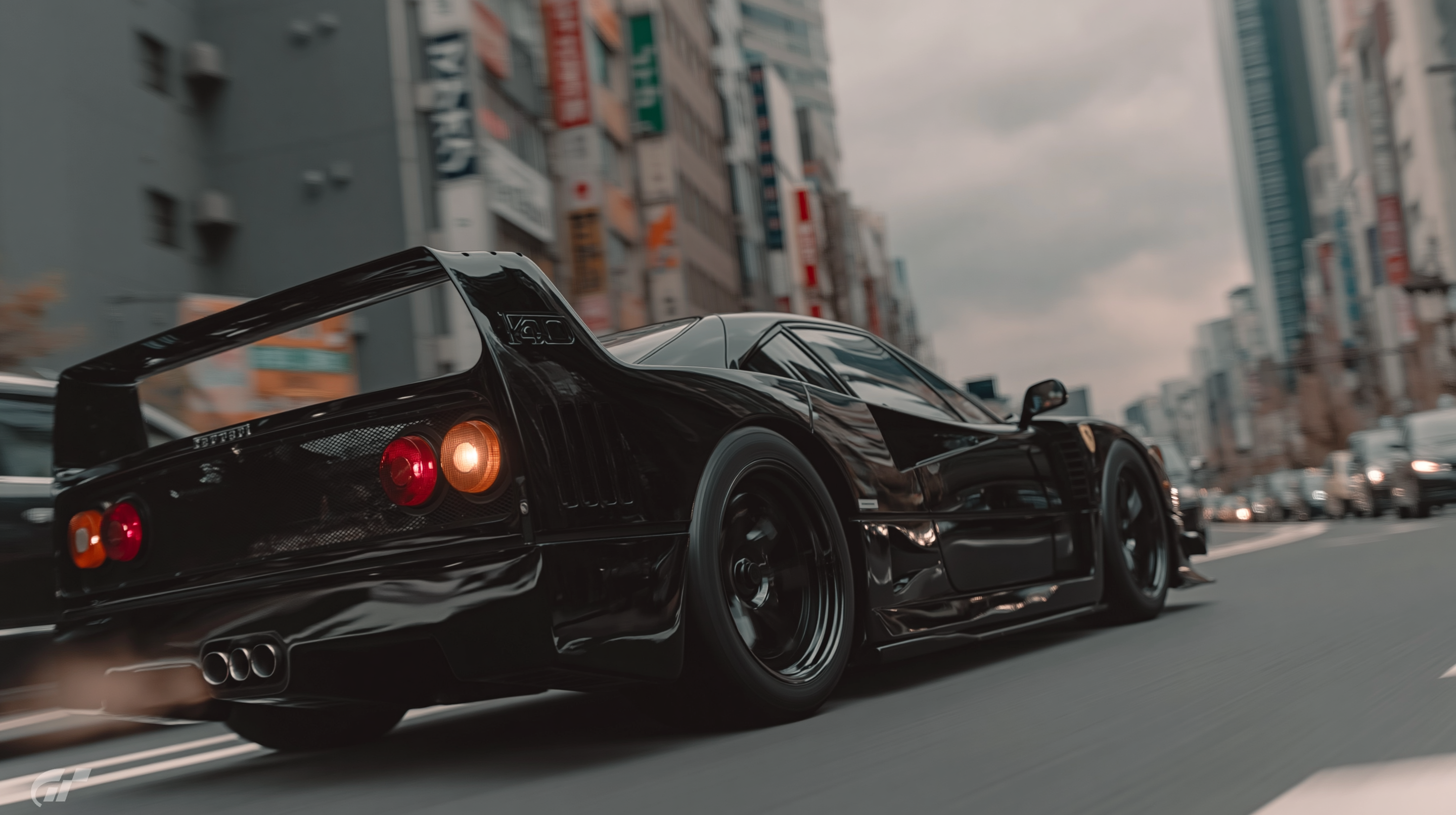
Build the character sheet
Generate the character sheet for the subject. In my case it was the Ferrari F40 — but the same prompt structure adapts to any object. You can copy the template of the character sheet prompt i used, adapting it to your own project with the help of an Agent.
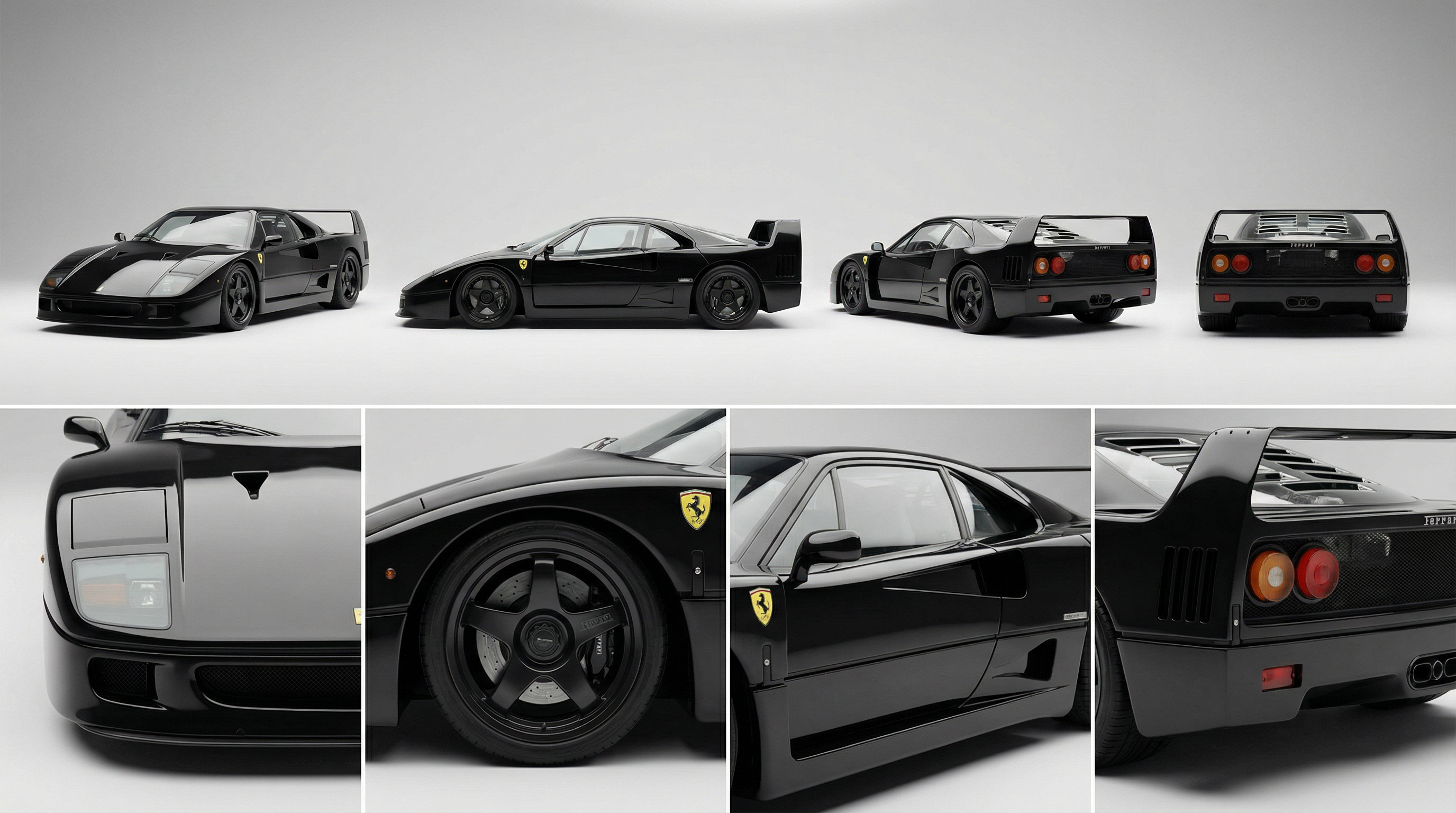

Starting video — the first continuous take
Upload the starting frame to Seedance 2.0. Here's the prompt:
The orbit shot — continue the take
For the next Seedance 2.0 generation, you attach four things:
- The prompt (listed below)
- The reference video - the one we just generated in step 3.
- The Ferrari F40 character sheet.
- The last frame from the source video.
Why attach the character sheet of the Ferrari? Because I want the shot to continue in the direction of the camera orbit around the car. That means Seedance has to extrapolate how the front of the Ferrari looks — it's not present in the starting frame, nor in the uploaded video.
I also explored another prompting strategy for camera-movement prompts. I used Claude (inside the Krea node canvas) to help me create an enhanced version of the prompt for the camera movement, thinking it would improve quality. Here's the enhanced prompt and generation
Worth noting: I generated a batch of videos, not one. In general, that's a common rule when working with Seedance and generative AI - don't aim for the moonshot, aim for diversity to choose from.
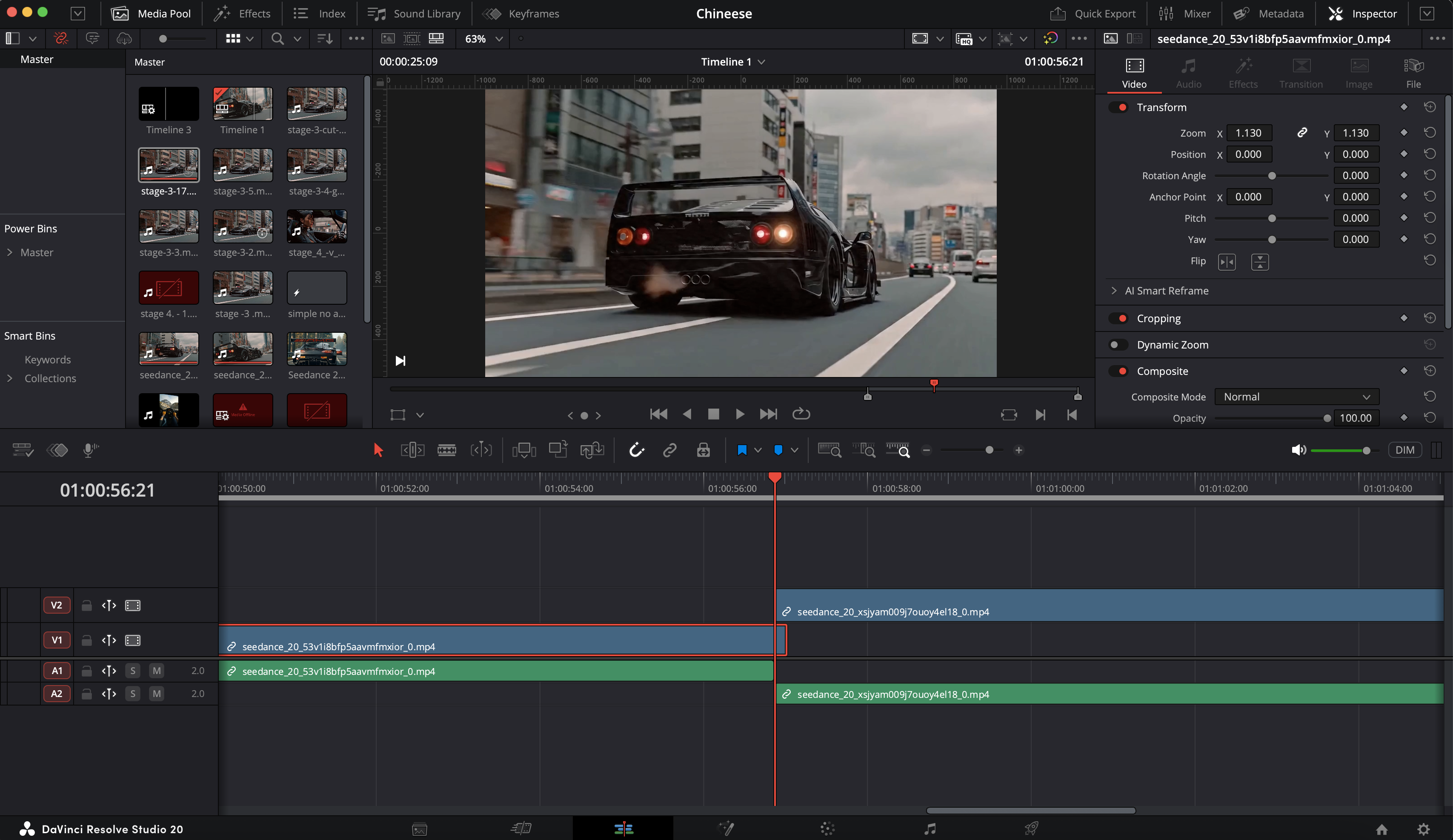
Stitch the two videos in DaVinci Resolve
Bring both clips into DaVinci Resolve. Place them on a single track end to end. Delete a few frames at the seam to align the two clips so the motion reads continuous.
Cross into the cabin — through the windshield
Same setup as before — previous video, last frame, character image. This time no car sheet — we're inside the cabin and the car is no longer the subject. Don't overcomplicate Seedance with excessive details. Prompt smart.
The way to best approach it: write a simple prompt in your own words, see how it breaks in the generation, then ask Claude to create a more controlled version using the Seedance prompting skill. Hit generate. See how it breaks. Change only the details you see broken. When you try to overcomplicate the prompt, Seedance resolves to randomness — showing you either some part of it or neither. Better to balance the model's interpolation with your control.
Instead of long poetic description aim for simple, concise.
The face close-up — orbit her
Same as before: previous video, last frame, character image. No car sheet this time — we're already inside the cabin, and I want the camera to move to a close-up of her face. No need to overcomplicate Seedance with excessive details. Prompt smart.
Cost, lessons, what I'd do differently
In general the cost of a continuous shot like this is around $50 per shot (~26 generations × $2 each).
- Simple prompts may be enough if the starting frame is set.
- Best prompting strategy: start with the manual prompt → see where it breaks → use the Seedance skill with an AI agent to generate a more controllable version.
- READ IT AND REVIEW IT.
- Iterate. You can't tell if the prompt is bad or the reference images are poor until you've done at least 4 generations. AI creatorship is more of a numbers and perseverance game.
- CONTROVERSIAL: think like a model, not like a cinema director. When you think as a director, you think with a human brain and human memory. Diffusion models don't work that way. You have to adapt your thinking to how Seedance 2.0 generates a video — that means controlling your reference images and prompts, not including what the model doesn't need in the particular shot.
- When working in node editors like Magnific (Freepik, in the past) or Krea — you'll benefit from uploading the skill MD into the canvas and referencing it when asking the LLM to help you with prompting. Without it, you shoot in the dark and rely on outdated model knowledge — knowledge whose cutoff predates the release of the model you're trying to prompt.
- Simplicity > complexity in prompting. But simplicity does not mean the absence of details.
The result
Take it further
Thanks for reading through. Hope it helped you.
I filed this workflow into a skill so you can reuse it within your creative process with any AI agent. The skill has the templatized knowledge of how to create continuous shots using Seedance 2.0.
Follow me on Instagram or connect on LinkedIn. I'll be sharing more findings and advanced AI creatorship techniques no one notices and gives attention to.
P.S. The full Krea node workflow for this entire project is open.
// PACKAGED SKILL
Run this workflow as a one-shot prompt
Drop the skill to your AI agent, to extract the very juice of that workflow and make your agent remember it for a lifetime and future use.
// MORE GUIDES
Get the next AI filmmaking guide in your inbox
If you got value from that breakdown - please leave your email and I will notify you when a new workflow drops. Im obsessed with the small little details about AI filmmaking that no one online really speaks of.